Menu
A dropdown menu, a trigger that opens a panel of rows over the page, each a label with an optional glyph and an optional shortcut, under a highlight that follows the pointer and the arrow keys.
The panel opens below the trigger and flush with its start edge, flips above
when there is no room, clamps inside the viewport, and scrolls inside itself
when a long list still does not fit. Tapping a row runs it and closes the
panel; Escape or a tap outside closes it and returns focus to the trigger.
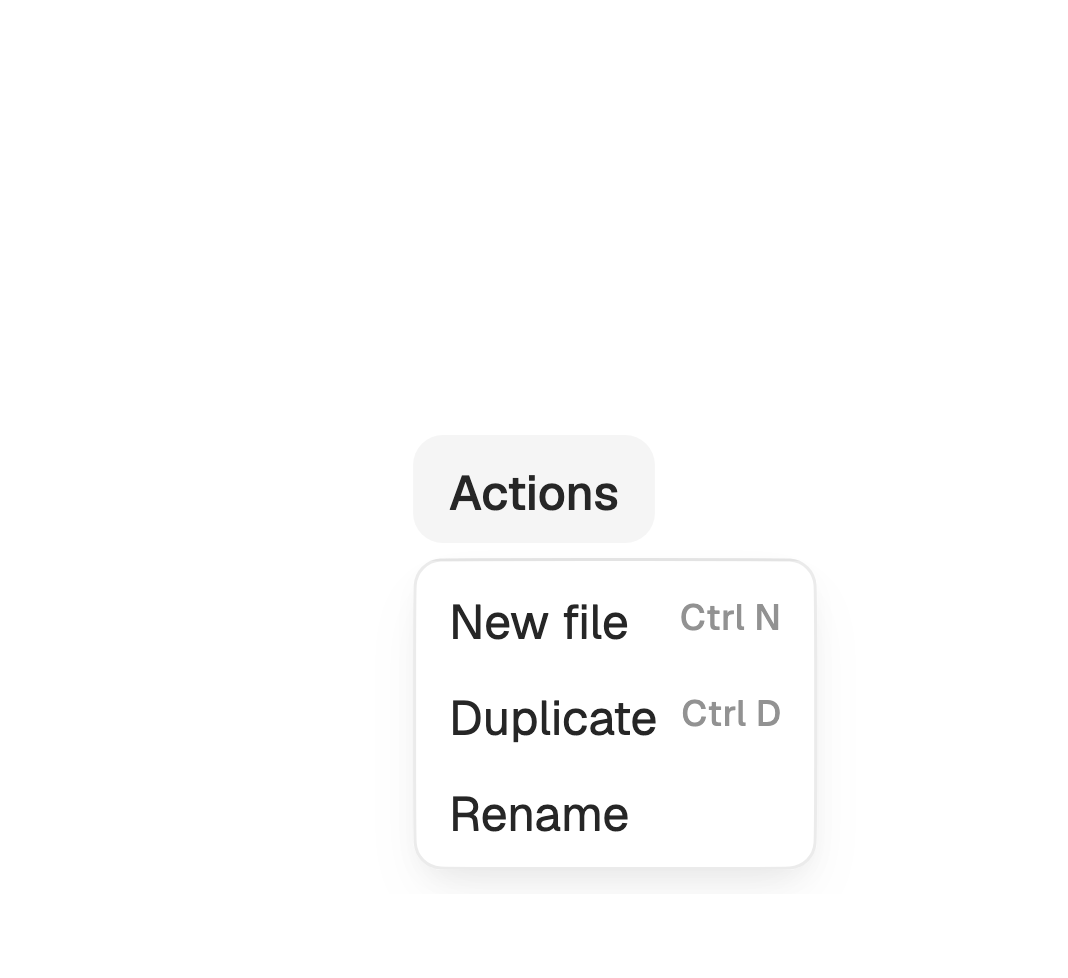
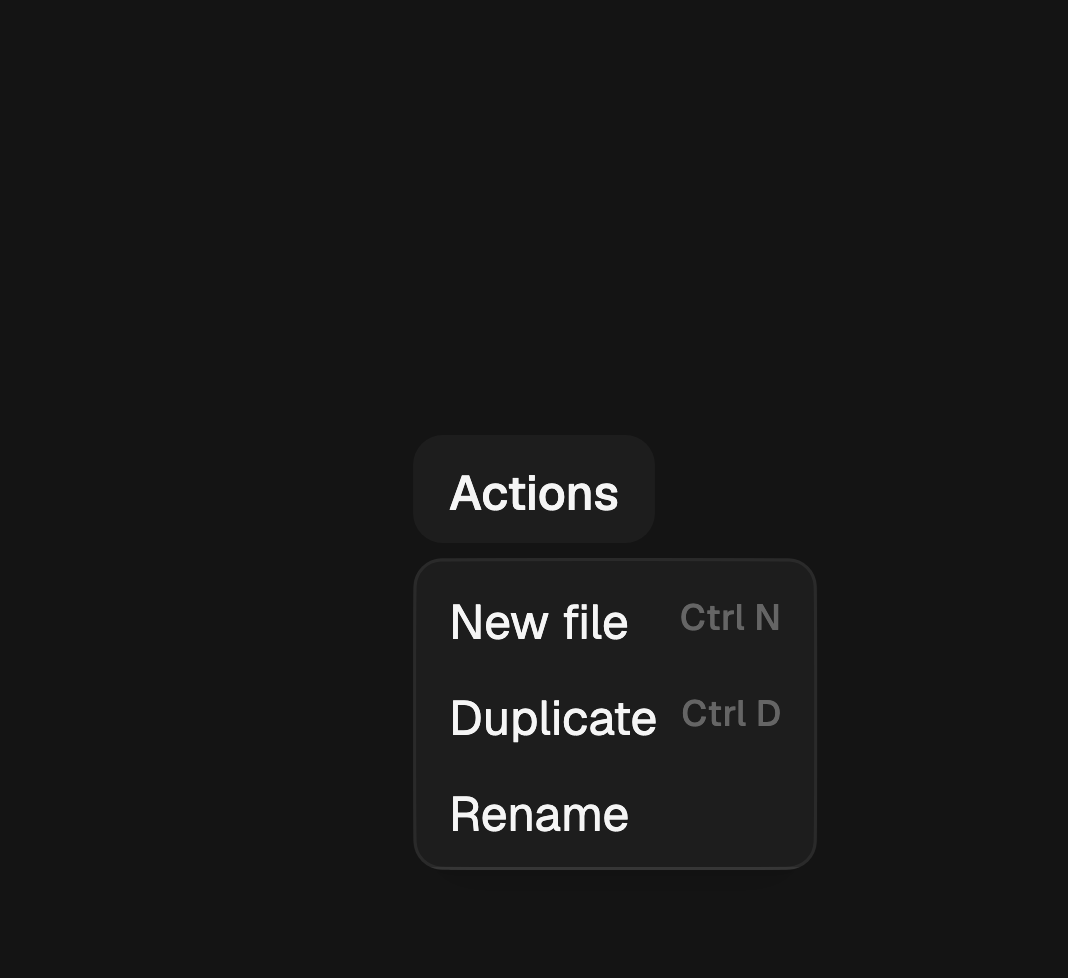
import 'package:fossui/fossui.dart';

final controller = FossMenuController();

FossMenu(
  controller: controller,
  items: [
    FossMenuItem(
      label: 'New file',
      shortcut: 'Ctrl N',
      onSelected: createFile,
    ),
    FossMenuItem(
      label: 'Duplicate',
      shortcut: 'Ctrl D',
      onSelected: duplicateFile,
    ),
    FossMenuItem(label: 'Rename', onSelected: renameFile),
  ],
  child: FossButton(
    onPressed: controller.toggle,
    child: const Text('Actions'),
  ),
);
The panel anchors to the box the trigger occupies, not to what it paints
inside it. A trigger stretched by its parent, a list child for instance,
anchors the panel to the full width, so wrap it in an Align to anchor to the
trigger itself.
A trigger that handles its own taps wins the gesture, so the menu never sees
it. That covers FossButton with an onPressed, which is the common case:
give the menu a FossMenuController and point the button at
controller.toggle. A trigger that takes no input of its own, a plain Text
or an icon, needs no controller.
Rows
One items list carries every row kind. FossMenuItem is an action,
FossMenuItem.separator() a divider, and FossMenuItem.label() a heading, so
a caller never passes a second structure to say where a divider sits.
A row takes an icon, a shortcut, destructive for an action that deletes
something, and inset to line a row without a glyph up with the rows that have
one.
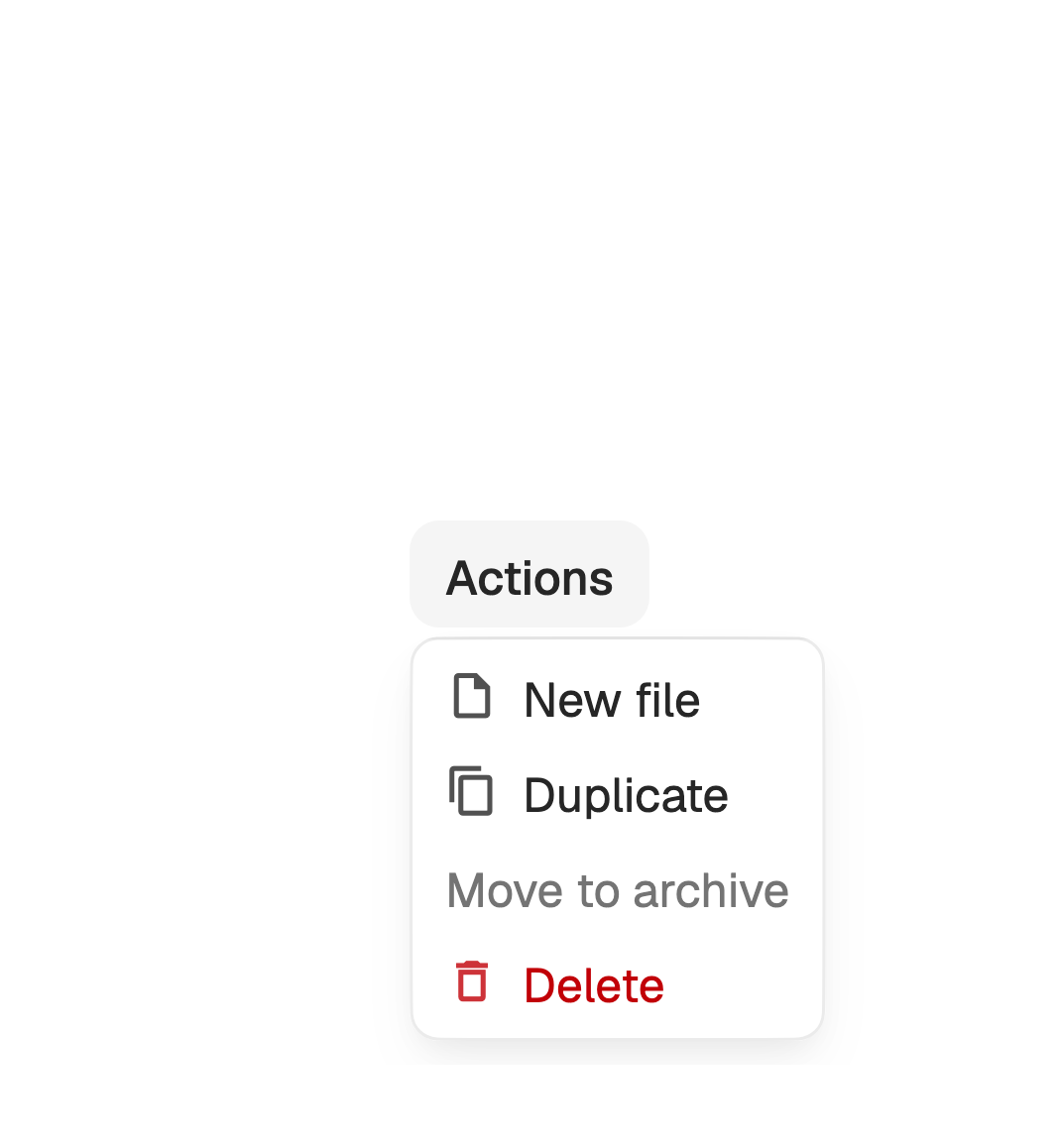
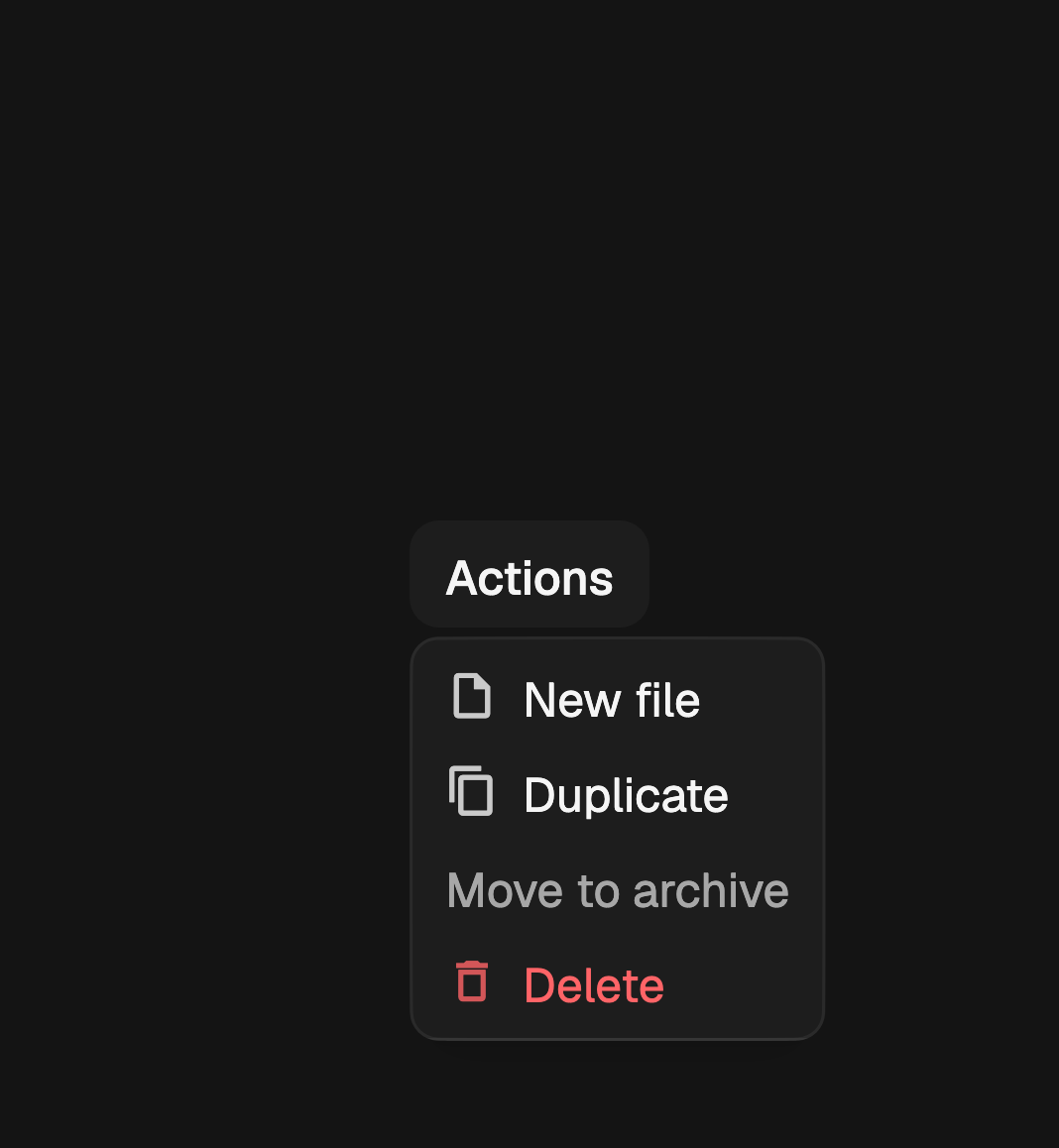
FossMenu(
  controller: controller,
  items: [
    FossMenuItem(
      label: 'New file',
      icon: const Icon(LucideIcons.filePlus),
      onSelected: createFile,
    ),
    const FossMenuItem(label: 'Export as PDF'),
    const FossMenuItem(label: 'Move to archive', enabled: false),
    FossMenuItem(
      label: 'Delete',
      icon: const Icon(LucideIcons.trash2),
      destructive: true,
      onSelected: deleteFile,
    ),
  ],
  child: trigger,
);
A row with no onSelected is inert: it stays visible at full strength, keeps
its place in the keyboard walk, and does nothing when selected, which is how
you write a "coming soon" entry. enabled: false is the other thing, dimming
the row and skipping it.
shortcut is shown and announced, never bound. Registering the combination is
the app's job, so the menu cannot claim a key the rest of the screen is using.
Groups
A heading names a run of rows and a separator divides two of them. Neither takes input, and the keyboard walk steps over both.
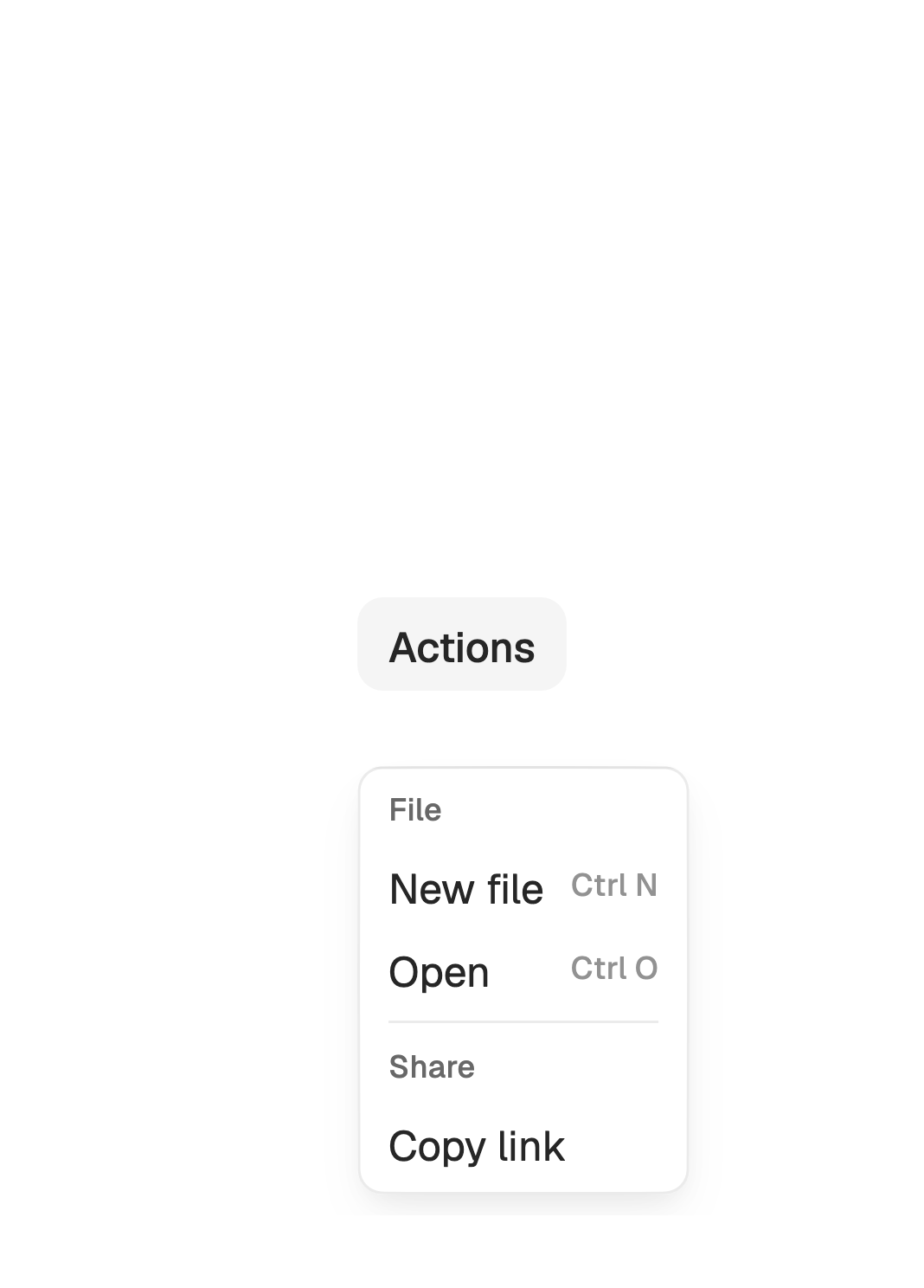
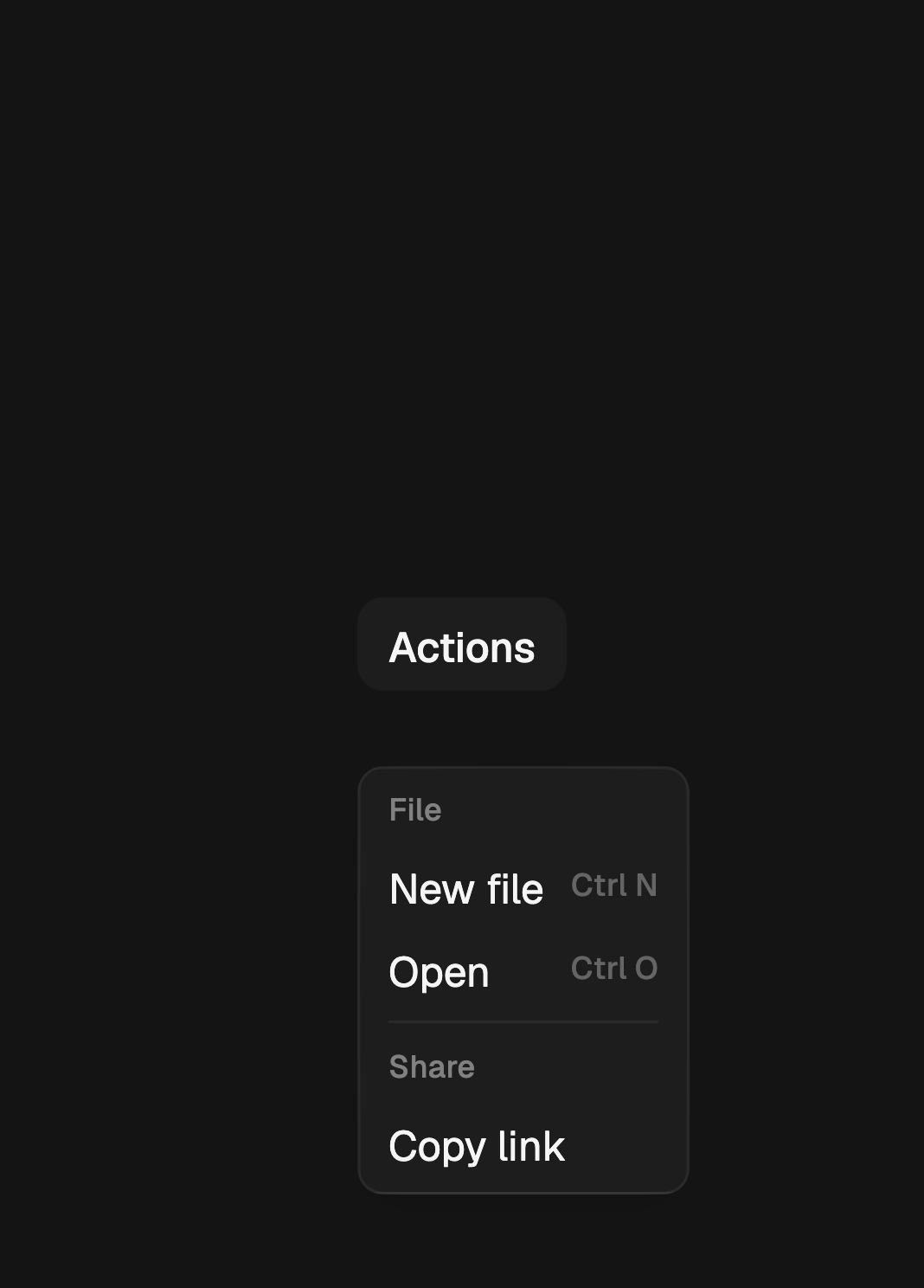
FossMenu(
  controller: controller,
  items: [
    const FossMenuItem.label('File'),
    FossMenuItem(label: 'New file', shortcut: 'Ctrl N', onSelected: create),
    FossMenuItem(label: 'Open', shortcut: 'Ctrl O', onSelected: open),
    const FossMenuItem.separator(),
    const FossMenuItem.label('Share'),
    FossMenuItem(label: 'Copy link', onSelected: copyLink),
  ],
  child: trigger,
);
Placement
side picks the edge the panel prefers and align how it sits across that
edge. Both are directional: left and right mirror under a right-to-left
reading direction, and so does start and end alignment. The panel flips to
the opposite side when the preferred one has no room, and clamps 8 off the
viewport edge either way, so neither choice can push it off screen.
FossMenu(
  side: FossMenuSide.top,
  align: FossMenuAlign.end,
  items: items,
  child: trigger,
);
Keyboard and accessibility
ArrowDown and ArrowUp move the highlight and wrap at both ends, skipping
disabled rows and keeping inert ones. Enter and Space select the
highlighted row. Escape closes the panel and returns focus to the trigger, as
does picking a row or tapping outside.
The panel reports as a menu and each action row as a menu item, merged so a row announces its label and its shortcut together. The trigger reports its expanded state. A panel of only separators and headings carries no menu role, since there is nothing in it to be an item.
One-off styling
A FossMenuStyle tweaks a single menu: the panel width floor, fill, border,
corners and padding, the row corners, the highlight pair, the row foreground,
the glyph size, and the row text style. To move every menu, retheme
FossColors instead.
FossMenu(
  items: items,
  style: const FossMenuStyle(minWidth: 220, rowRadius: 2),
  child: trigger,
);
API
FossMenu
| Prop | Type | Default | Description |
|---|---|---|---|
items | List<FossMenuItem> | required | The rows, in order: actions, separators, and headings. |
child | Widget | required | The trigger, rendered as-is and used as the anchor. |
controller | FossMenuController? | null | Imperative open, close, and toggle; needed when the trigger takes its own taps. |
side | FossMenuSide | bottom | The preferred side to open on. |
align | FossMenuAlign | start | The cross-axis alignment to the trigger. |
onOpenChange | ValueChanged<bool>? | null | Called on every open and close, dismissals included. |
style | FossMenuStyle? | null | Per-instance overrides on the theme. |
FossMenuItem
| Prop | Type | Default | Description |
|---|---|---|---|
label | String | required | The row's text, and the name it announces. |
icon | Widget? | null | A glyph at the start of the row, sized and colored by the menu. |
shortcut | String? | null | The key combination shown at the row end. Display only. |
onSelected | VoidCallback? | null | Called when the row is picked; null leaves the row inert. |
enabled | bool | true | Whether the row accepts input. False dims it and skips the keyboard walk. |
destructive | bool | false | Whether the row reads as a destructive action. |
inset | bool | false | Whether the row starts past the glyph column. |
FossMenuItem.separator() takes nothing. FossMenuItem.label(String, {bool inset}) takes the heading text.
FossMenuController
| Member | Type | Description |
|---|---|---|
isOpen | bool | Whether the panel is currently open. |
open() | void | Opens the panel. |
close() | void | Closes the panel. |
toggle() | void | Opens it when closed, closes it when open. |
FossMenuStyle
| Field | Type | Default | Description |
|---|---|---|---|
minWidth | double? | null | Smallest panel width; it grows past this to fit its widest row. |
backgroundColor | Color? | null | Panel fill. |
borderColor | Color? | null | Panel border. |
borderRadius | double? | null | Panel corner radius. |
padding | EdgeInsetsGeometry? | null | Inner padding between the border and the rows. |
rowRadius | double? | null | Corner radius of a row's highlight fill. |
highlightColor | Color? | null | Fill behind the highlighted row. |
highlightForeground | Color? | null | Text and glyph color of the highlighted row. |
foreground | Color? | null | Text and glyph color of a row at rest. |
iconSize | double? | null | Glyph size in a row's icon slot. |
textStyle | TextStyle? | null | Merged over the resolved row text style. |
Live demo
Open the interactive gallery to open a menu, walk it with the arrow keys, and watch what each row reports.